

The Security Log records every important gift card event, so you can see who did what and when.
How to Use the Security Log
Step 1: Open the Log
- Go to GiftRocket → Security Log.
Step 2: Read an Entry
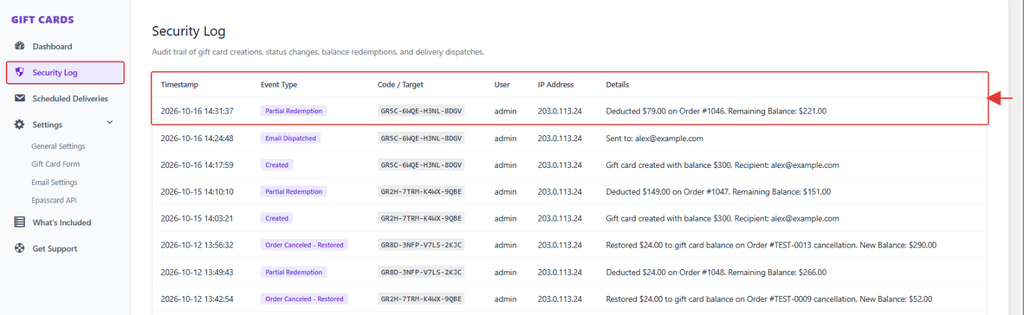
Each row shows the Timestamp, Event Type, Code / Target, User, IP Address and Details. The newest 100 events are shown.
Events You’ll See
- Created, Updated, Deleted: cards added or changed
- Partial Redemption: a card used at checkout
- Email Dispatched, Admin Resend Email, Expiry Reminder Sent: emails sent
- Refund Restored, Order Canceled – Restored, Purchase Revoked: refunds and cancellations
- CSV Bulk Import, Bulk Status Update: bulk changes
- Rate Limit Blocked: a visitor made too many attempts in an hour