

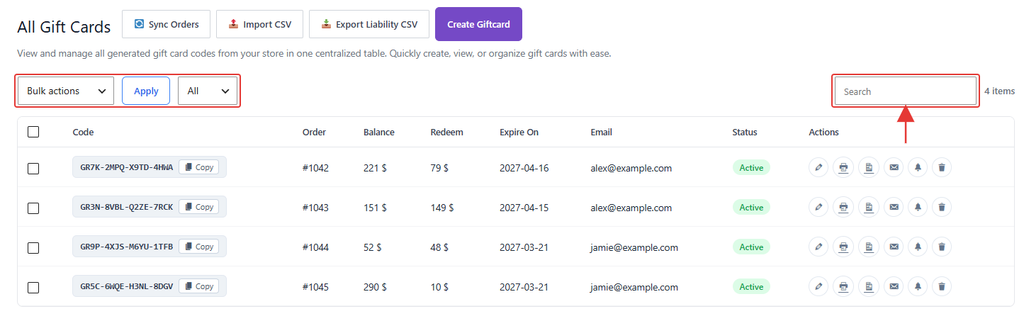
The All Gift Cards table lists every card your store has issued. Search, filter and bulk actions help you find and update cards quickly.
How to Use the Table
Step 1: Open the Dashboard
- Go to GiftRocket → Dashboard.
Step 2: Search and Filter
- Search: type any part of a code, order number or email address.
- Status filter: choose All, Active, Used or Expired.
Step 3: Update Several Cards at Once
- Tick the cards you want to change.
- Choose an option from Bulk actions: Delete, Mark as Active, Mark as Used or Mark as Expired.
- Click Apply.
Note: Mark as Used also sets the card’s balance to zero. Delete removes cards permanently. Each column shows the card’s code (with a Copy button), order, remaining balance, amount redeemed, expiry date, recipient email and status.