

Epasscard creates Apple Wallet and Google Wallet passes. Connect your Epasscard account to GiftRocket to start designing gift card passes.
How to Configure
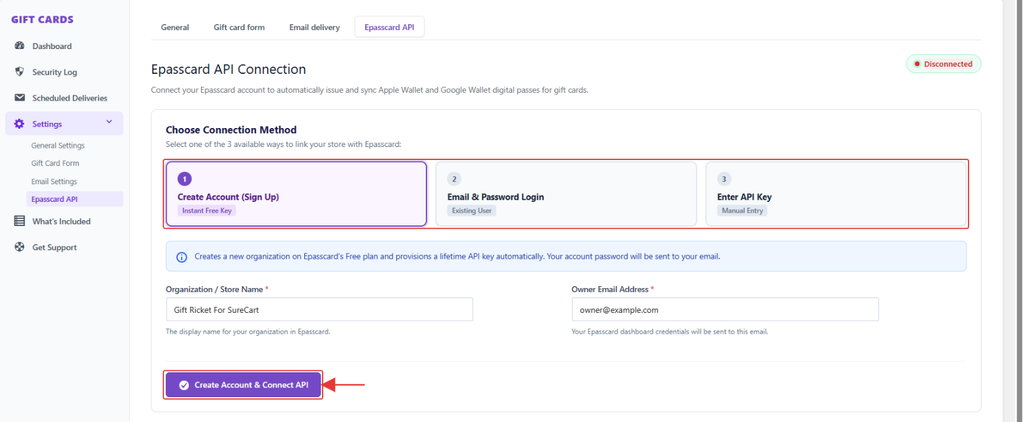
Step 1: Open the Epasscard Settings
- Go to GiftRocket → Settings → Epasscard API.
Step 2: Choose How to Connect
- Create Account (Sign Up): enter your store name and email, then click Create Account & Connect API. Epasscard emails you a password.
- Email & Password Login: sign in with your existing Epasscard account and click Authenticate & Generate API Key.
- Enter API Key: paste a key from your Epasscard dashboard and click Validate & Save API Key.
Step 3: Check the Connection
The status changes to Connected & Active and shows your plan, pass quota and template limit. Click Sync Quota & Status to refresh these, or Disconnect to remove the connection.
Note: In this version, GiftRocket connects to Epasscard and saves your pass designs. Sending wallet passes to gift card recipients is planned for a future update.