Create a gift card yourself, for example as a prize, an apology to a customer or a card sold in your physical shop.
How to Configure
Step 1: Open the Form
- Go to GiftRocket → Dashboard.
- Click Create Giftcard.
Step 2: Fill In the Card Details
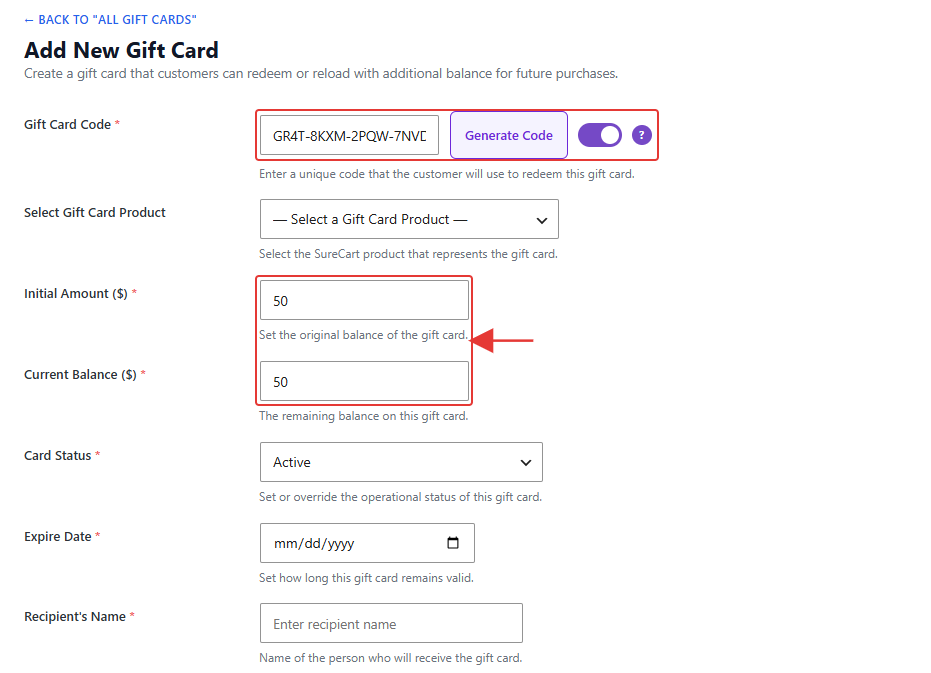
- Keep the generated Gift Card Code, or click Generate Code for a new one.
- Choose a product under Select Gift Card Product (optional).
- Enter the Initial Amount ($). Current Balance ($) starts at the same value.
- Set the Card Status and an Expire Date if the card should expire.
Step 3: Add the Recipient and Send
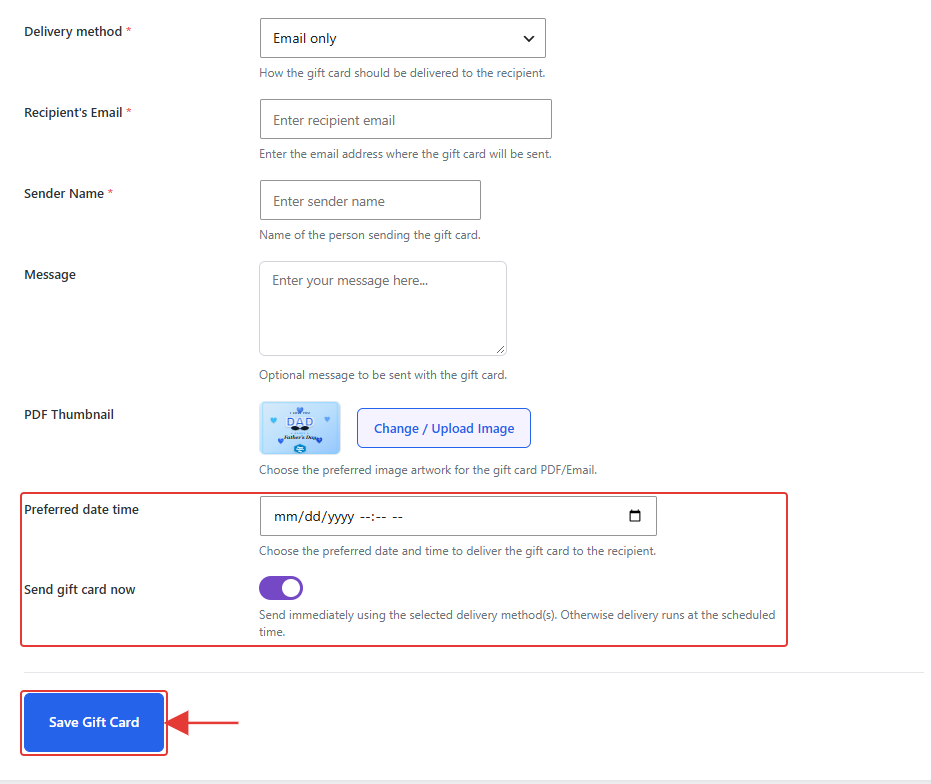
- Enter the Recipient’s Name, Recipient’s Email, Sender Name and an optional Message.
- To email the card straight away, turn on Send gift card now.
- To send it later, turn Send gift card now off and pick a Preferred date time.
- Click Save Gift Card.
Note: Cards you create here are issued in US dollars.