

Let customers check how much is left on a gift card without going to checkout. Add the balance checker shortcode to any page, and customers enter their code to see the balance, original value and expiry date.
How to Configure
Step 1: Create a Balance Check Page
- Go to Pages → Add New Page.
- Give the page a title, for example Check Gift Card Balance.
- Click + to add a block, search for Shortcode and add it.
- Paste the shortcode below into the block.
[giftrocket_balance_check]- Click Publish.
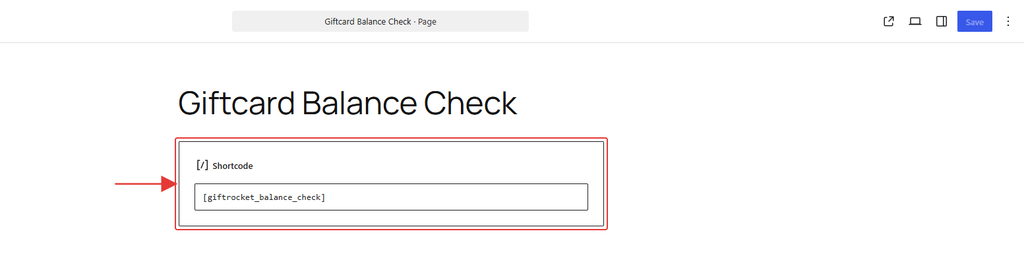
Note: [giftrocket_check_balance] works the same way, so you can use either name. The shortcode also works in page builders such as Elementor or Divi through their shortcode widget.
Step 2: Link to the Page
- Go to Appearance → Menus (or Appearance → Editor → Navigation for block themes).
- Add your new page to the header or footer menu so customers can find it.
- You can also link to it from your gift card email or product description.
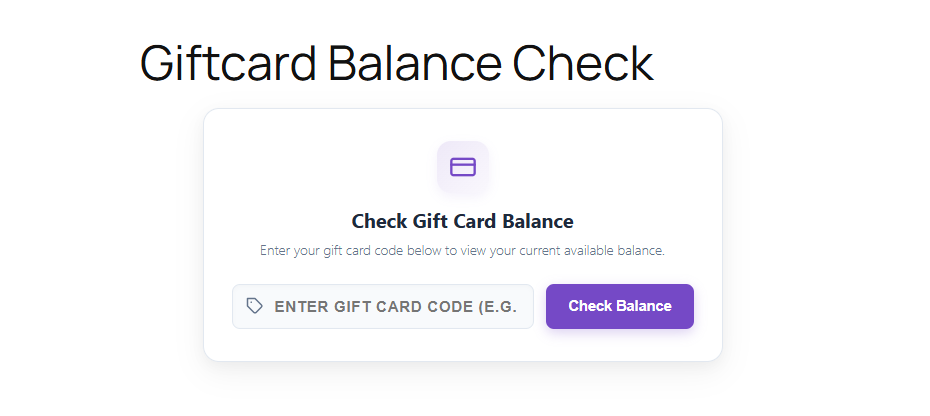
Step 3: How Customers Check a Balance
- The customer opens the page and types their gift card code.
- They click Check Balance.
- They see the Available Balance, the Initial Value, the Expiration Date and the card status (Active, Fully Redeemed, Expired or Disabled), plus a Start Shopping button.
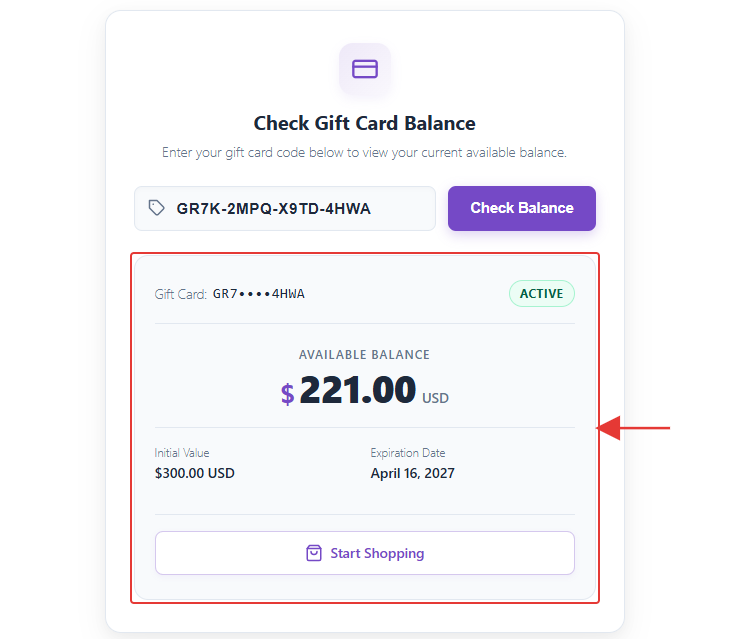
For security, only part of the code is shown in the result, for example GR7••••4HWA.
Customizing the Balance Checker
Add options inside the shortcode to change the text or hide parts of the result. Use only the options you need.
| Option | What it does | Default |
|---|---|---|
title | Heading above the form | Check Gift Card Balance |
description | Short text under the heading | Enter your gift card code below to view your current available balance. |
placeholder | Hint text inside the code box | Enter gift card code (e.g. GR-ABCD-1234) |
button_text | Button label | Check Balance |
show_initial_amount | Show the card’s original value (true or false) | true |
show_expiry | Show the expiry date (true or false) | true |
show_shop_button | Show the Start Shopping button (true or false) | true |
shop_url | Where Start Shopping links to | Your SureCart shop page, or your homepage |
Example with a shorter placeholder, a custom button and no expiry date:
[giftrocket_balance_check placeholder="Gift card code" button_text="Show my balance" show_expiry="false"]Note: To stop people guessing codes, each visitor can check up to 5 codes per minute. After that they see a message asking them to wait a minute and try again.