

GiftRocket is free on WordPress.org. Install it from your WordPress dashboard in a few clicks. SureCart must be installed and active first.
Requirements
- WordPress 5.8 or later
- PHP 7.4 or later
- SureCart installed, active and connected to your store
How to Install
Step 1: Search for the Plugin
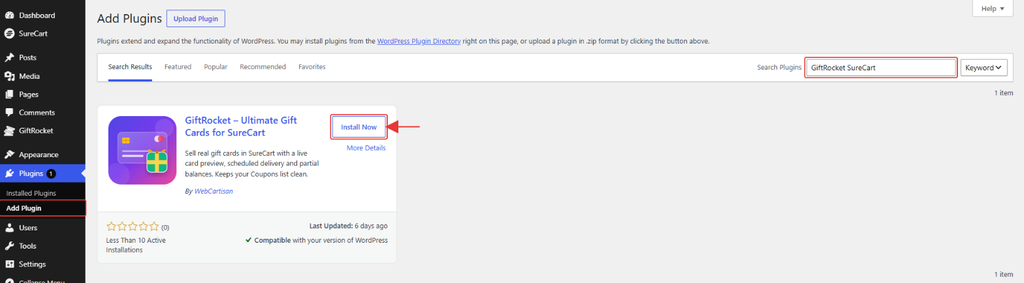
- Go to Plugins → Add Plugin in your WordPress dashboard.
- Type GiftRocket SureCart in the Search Plugins box.
- Find GiftRocket – Ultimate Gift Cards for SureCart by WebCartisan.
Step 2: Install and Activate
- Click Install Now.
- When the install finishes, click Activate.
- A new GiftRocket menu appears in your dashboard sidebar.
Note: If SureCart is not active, GiftRocket shows a notice at the top of your dashboard and stays switched off until SureCart is activated.