

Create many gift cards at once for corporate gifts, staff rewards, events or printed vouchers.
Generate a Batch
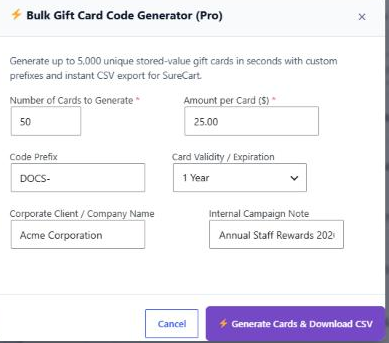
- Go to GiftRocket → Dashboard and click Bulk Generator.
- Enter the Number of Cards to Generate (up to 5,000) and the Amount per Card.
- Set a Code Prefix, for example
ACME-. - Choose Card Validity / Expiration: No Expiration, 1, 3 or 6 months, 1 year or 2 years.
- Optionally add the Corporate Client / Company Name and an Internal Campaign Note.
- Click Generate Cards & Download CSV.
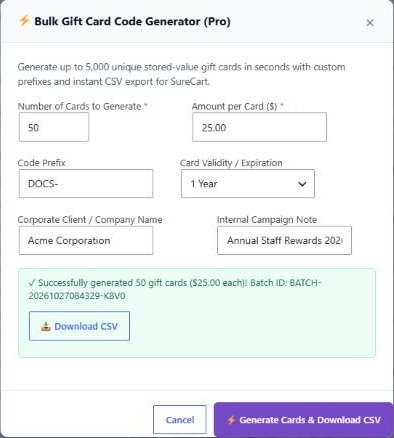
The cards are created and the CSV file downloads. If your browser blocks the download, click Download CSV.
What’s in the CSV
One row per card: Card Code, Initial Balance, Current Balance, Currency, Status, Expiration Date and Redemption Link. The link opens your store with the card applied.
Note: Bulk cards aren’t emailed to anyone. Hand them out yourself, print them, or send the CSV to your client. The Download CSV link works for 24 hours. After that, use Export Liability CSV on the dashboard (see 5.6).