

Redemption rules control where gift cards can be spent. SureCart checks them when a customer applies a gift card at checkout and shows its own message if the card can’t be used on that cart.
Set the Rules
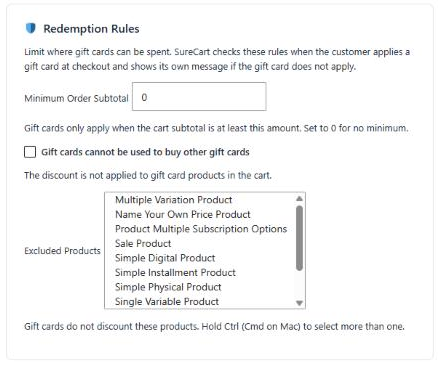
- Go to GiftRocket → Settings → Pro Settings and find Redemption Rules.
- Minimum Order Subtotal: gift cards only apply when the cart subtotal reaches this amount. Enter 0 for no minimum.
- Gift cards cannot be used to buy other gift cards: the gift card doesn’t discount gift card products in the cart.
- Excluded Products: select products gift cards can’t pay for. Hold Ctrl (Cmd on Mac) to select more than one.
- Click Save Pro Settings.
Note: Rules apply to gift cards applied after you save. SureCart allows one discount code per checkout, so a gift card can’t be combined with a coupon code.