

GiftRocket is an add-on for FluentCart, so FluentCart must be installed and active first.
Step 1: Install FluentCart
If you haven’t already, go to Plugins > Add Plugin, search for FluentCart, then click Install Now and Activate.
Step 2: Install GiftRocket
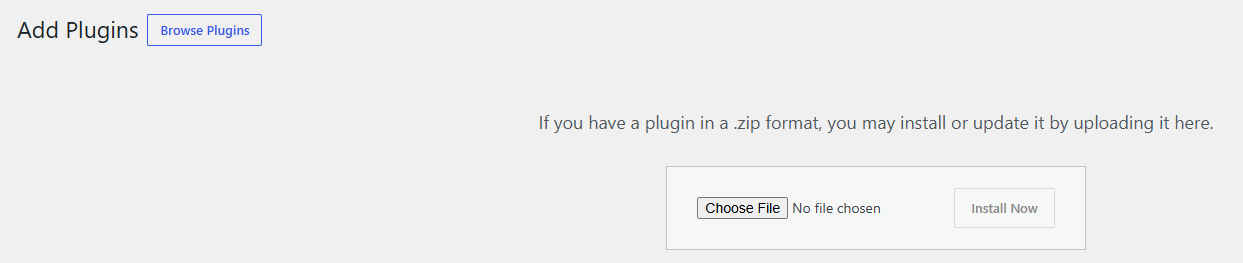
- Go to Plugins > Add Plugin and click Upload Plugin.
- Click Choose File and select the
giftrocket-ultimate-gift-cards-for-fluentcart.zipfile. - Click Install Now.
- Click Activate Plugin.
Note: If FluentCart is not active, WordPress will not let you activate GiftRocket. Activate FluentCart first, then try again.
Step 3: Find the GiftRocket Menu
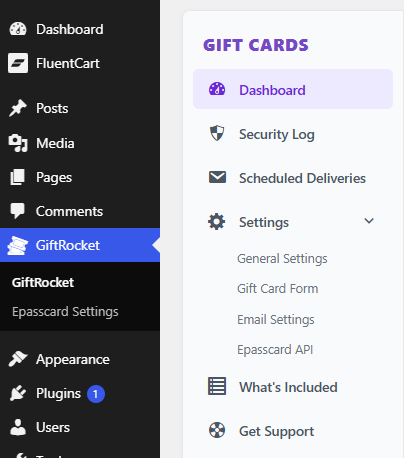
After activation, a new GiftRocket item appears in your WordPress admin menu. This is where you manage gift cards and settings.
Installing Manually (FTP)
- Unzip
giftrocket-ultimate-gift-cards-for-fluentcart.zipon your computer. - Upload the
giftrocket-ultimate-gift-cards-for-fluentcartfolder to/wp-content/plugins/on your server. - Go to Plugins in WordPress and click Activate under GiftRocket – Ultimate Gift Cards for FluentCart.
What Happens on Activation
GiftRocket creates its own database tables for gift cards, balance history and the security log. Your existing FluentCart products, orders and coupons are not changed.
