

GiftRocket Pro is an add-on for the free GiftRocket plugin. It unlocks store credit, bulk codes, multiple recipients, top-ups, redemption rules, an in-store POS terminal, a customer portal, reports, FluentCRM and a REST API.
Before You Start
- The free GiftRocket – Ultimate Gift Cards for FluentCart plugin must be installed and active. Without it, GiftRocket Pro shows a notice and stays inactive.
- You need your GiftRocket Pro license key. You can find it in your purchase confirmation email or in your account at giftrocketwp.com/account/.
Installing the Plugin
- Go to Plugins > Add New Plugin > Upload Plugin.
- Choose the GiftRocket Pro ZIP file and click Install Now.
- Click Activate Plugin.
Activating Your License
- Go to GiftRocket > Settings > License & Updates.
- Paste your key into the License Key field.
- Click Activate License. When the key is accepted you see ✓ License activated successfully! and the page reloads.
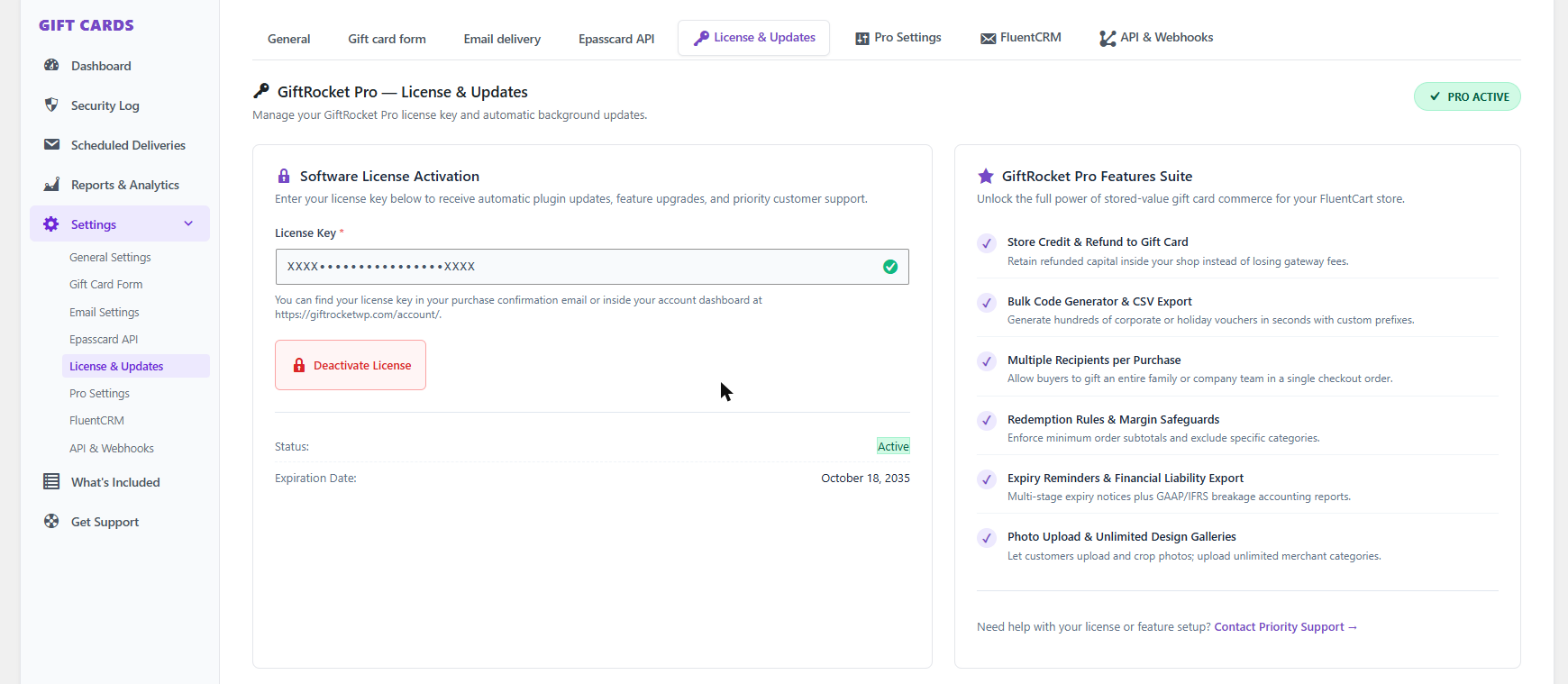
Once active, the badge in the top-right corner shows PRO ACTIVE, your key is masked, and the card shows the license Status and Expiration Date.
What You See Before Activation
- The Pro menu items (Reports & Analytics, FluentCRM and API & Webhooks) are visible with a purple PRO badge. Opening one shows a lock card with an Activate License button.
- A notice on admin pages reads GiftRocket Pro is locked. Please activate a valid license key for this domain.
- After activation the PRO badges disappear and the features open normally.
Moving to Another Site
Click Deactivate License on the License & Updates tab and confirm. This frees the activation so you can use the key on another site. Pro features are disabled on the current site.
Tip: Your license is re-checked in the background. If the license server is briefly unreachable, Pro keeps working for up to 3 days after the last successful check.
