

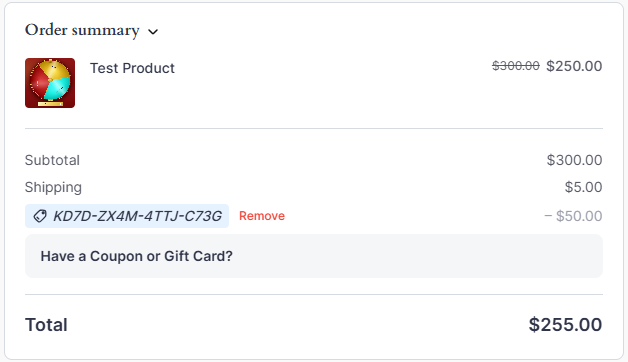
Customers enter their gift card code in the same box as coupon codes. GiftRocket renames the box to “Have a Coupon or Gift Card?” so customers know where to go.
How Customers Redeem a Card
- Add products to the cart and go to checkout.
- Click Have a Coupon or Gift Card?
- Enter the gift card code in the Coupon or Gift Card code field.
- Click Apply.
The gift card amount is taken off the order total.
Your Coupons List Stays Clean
GiftRocket does not create a permanent FluentCart coupon for every gift card. A temporary entry is used only to pass the discount to the payment gateway, and it is removed after the order. Your FluentCart > Coupons list only shows the coupons you made.
When a Code Doesn’t Work
A code is refused if it:
- Doesn’t exist or was typed wrong.
- Has no balance left (Used).
- Has passed its expiry date (Expired).
- Has been disabled by the store owner.
Note: To protect against code guessing, GiftRocket limits how many codes one visitor can try in an hour. See 9.2 Abuse Protection.
