

Redemption rules control when a gift card can be used at checkout, so you can protect your margins.
Setting Up Rules
Go to GiftRocket > Settings > Pro Settings > Redemption Rules. All rules are off until you set them.
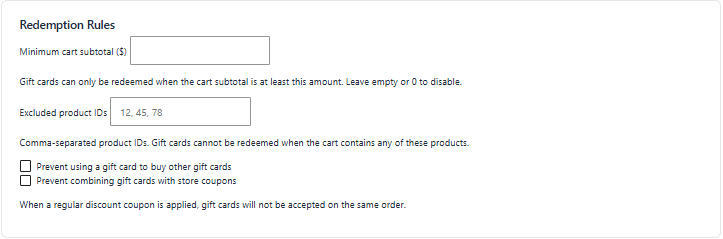
- Minimum cart subtotal – gift cards can only be used when the cart subtotal is at least this amount. Leave empty or 0 to turn it off.
- Excluded product IDs – a comma-separated list of FluentCart product IDs. If the cart contains any of these products, gift cards can’t be used on that order.
- Prevent using a gift card to buy other gift cards – blocks gift card payment when the cart contains a gift card product.
- Prevent combining gift cards with store coupons – when a regular FluentCart discount coupon is applied, gift cards are not accepted on the same order.
Click Save Pro Settings.
What Customers See
When a rule blocks a gift card, the code is not applied and FluentCart shows its standard “coupon can not be applied” message.
Tip: Mention your gift card terms (for example a minimum order value) on the product page or in the gift card email so customers know the rules in advance.
Note: An excluded product blocks the gift card for the whole order, not just for that product.
