

When a gift card is delivered, the recipient gets an email with their code, amount and the card design. You can change the subject, heading and message.
Go to GiftRocket > Settings > Email Settings.
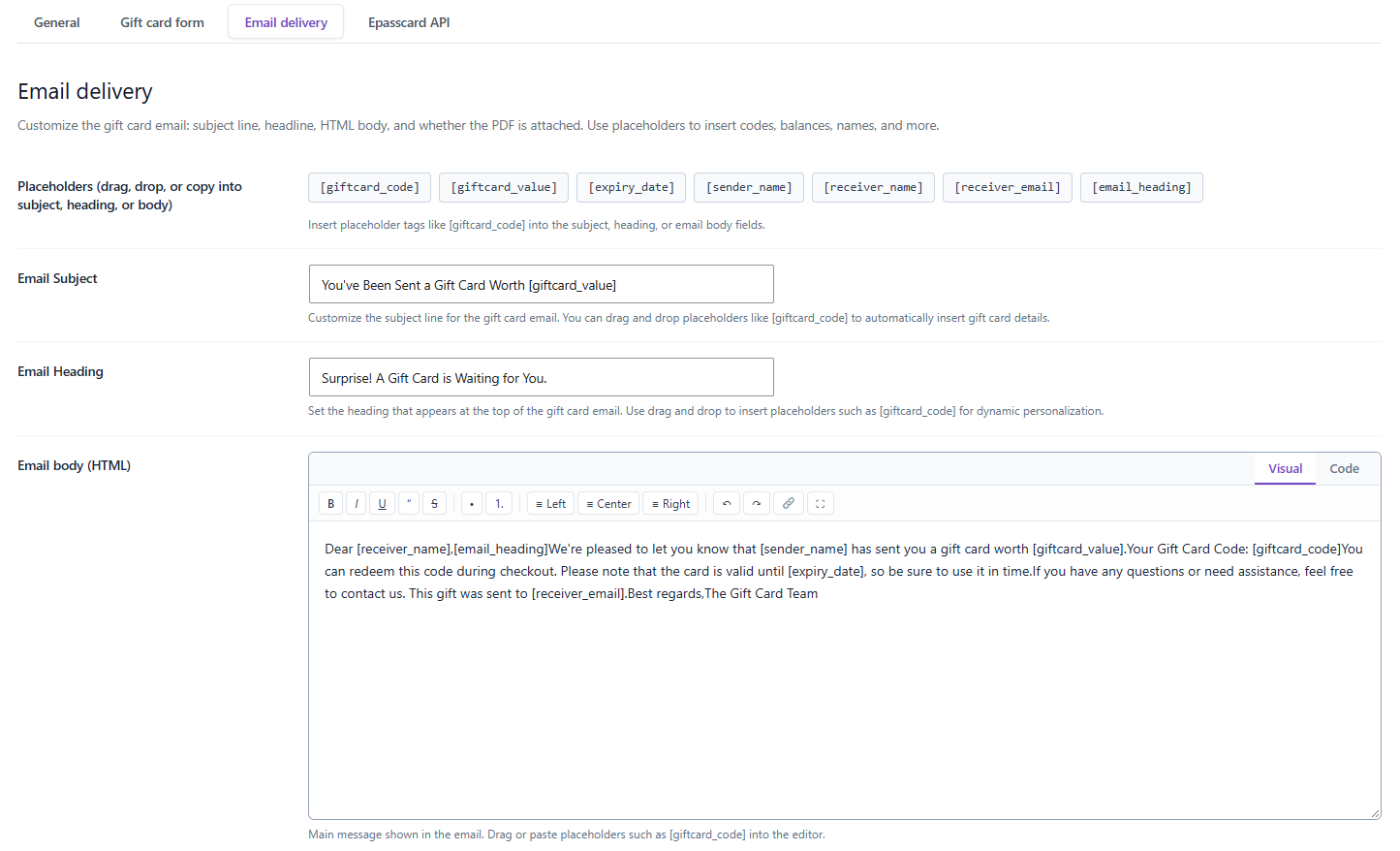
The Email Fields
- Email Subject – the subject line. Default: You received a gift card worth [giftcard_value].
- Email Heading – the large heading at the top of the email. Default: Surprise! A Gift Card is Waiting for You.
- Email body (HTML) – the main message. Use the Visual tab to write with formatting buttons, or the Code tab to edit the HTML.
Click Save Settings when you’re done.
Placeholders
Placeholders are replaced with the real details of each gift card. Click one to copy it, or drag it into the subject, heading or body.
| Placeholder | Replaced with |
|---|---|
[giftcard_code] | The gift card code |
[giftcard_value] | The card amount, for example $100.00 |
[expiry_date] | The expiry date, or No Expiration |
[sender_name] | The buyer’s name (your store name if empty) |
[receiver_name] | The recipient’s name (Valued Customer if empty) |
[receiver_email] | The recipient’s email address |
[email_heading] | The Email Heading (body and subject only) |
Example subject:
[sender_name] sent you a [giftcard_value] gift card!