

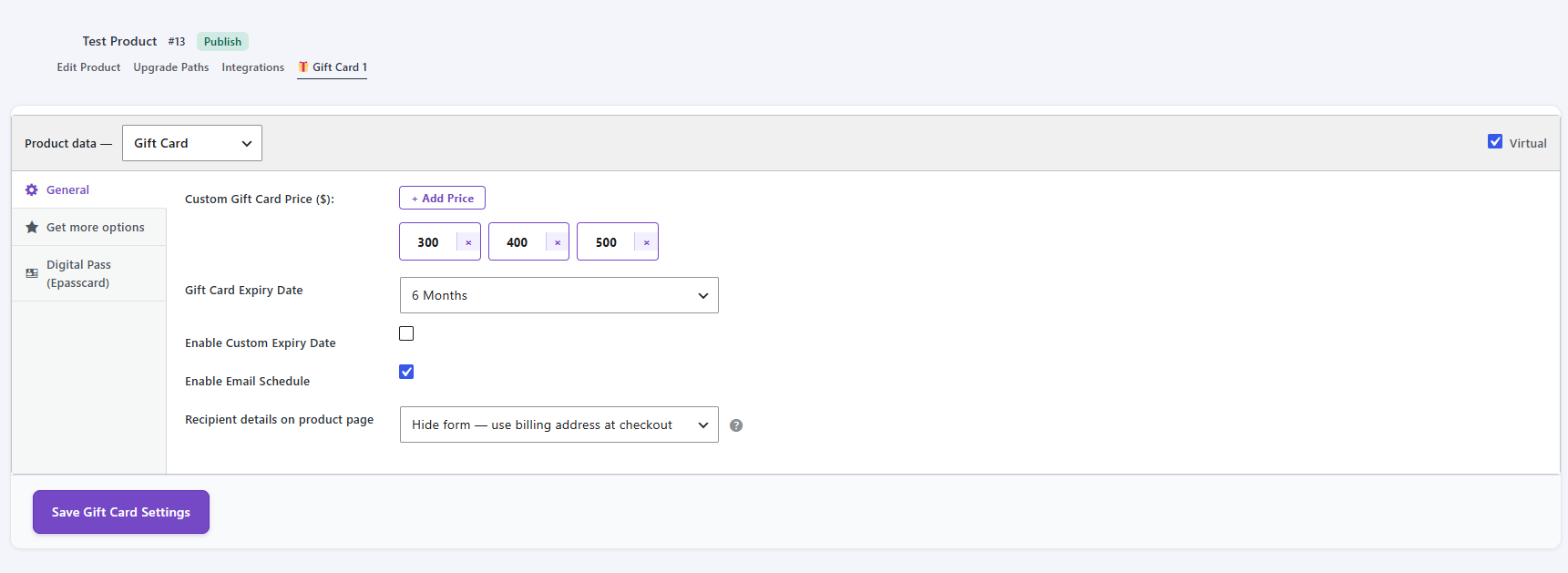
Every gift card product has its own GiftRocket settings. Open them from FluentCart > Products > edit a product > 🎁 Gift Card tab.
The Product Type
At the top of the tab, Product data tells GiftRocket how to treat this product:
- Gift Card – the product shows the live card preview and gift card form, and every purchase creates a gift card code.
- Standard Product – the product behaves like a normal FluentCart product.
Gift cards are always Virtual. Nothing is shipped.
The Settings Tabs
The settings are split into three tabs:
| Tab | What you set there |
|---|---|
| General | Amounts, expiry, scheduled delivery and recipient options. |
| Get more options | The card footer / terms text. |
| Digital Pass (Epasscard) | Apple Wallet and Google Wallet pass template for this product. |
When you’re done, click Save Gift Card Settings.
Tip: Settings here apply to this product only. Store-wide options such as the custom amount limits, form text and email template are in GiftRocket > Settings.
