

Give customers a page where they can check how much is left on their gift card.
Adding the Balance Checker
- Go to Pages > Add New (or edit an existing page).
- Add a Shortcode block.
- Paste this shortcode:
[giftrocket_check_balance]- Publish the page.
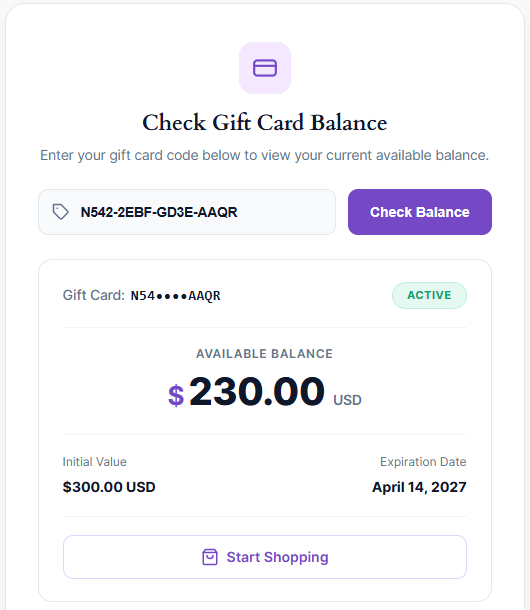
What Customers See
Customers enter their code and click Check Balance. They see:
- The card code (partly hidden for privacy) and its status.
- The Available Balance.
- The Initial Value.
- The Expiration Date, or Never expires.
- A Start Shopping button.
Customizing the Balance Checker
Add any of these options to the shortcode:
| Option | Default | What it changes |
|---|---|---|
title | Check Gift Card Balance | The main heading |
subtitle | Enter your gift card code below… | The text under the heading |
placeholder | ENTER GIFT CARD CODE | The text inside the code box |
button_text | Check Balance | The button text |
shop_button_text | Start Shopping | The button shown with the result |
shop_url | Your shop page | Where Start Shopping goes |
max_width | 520px | The width of the balance checker |
Example:
[giftrocket_check_balance title="Check Your Voucher" button_text="Look Up" shop_url="/shop"]