

Add your own card artwork that customers can choose on every gift card product, on top of each product’s own images.
Adding a Design
- Go to GiftRocket > Dashboard and click Card Designs.
- Enter a Design Title and choose a category.
- Paste an image URL or click Media Library to pick an image.
- Click + Add Design.
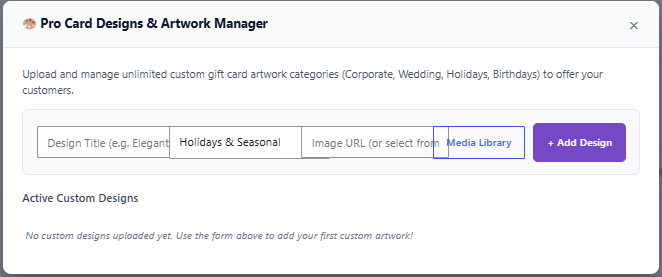
Your designs are listed under Active Custom Designs. Click × on a design to delete it.
Where Designs Appear
Custom designs are added after the product’s own designs in the design picker on the gift card form, and they are used on the gift card email and voucher.
Tip: Use images with a 4:3 ratio (for example 1200 × 900 px), the same as product designs (see 3.2).
Note: While Pro is active, customer photo uploads (3.3) are always available on the gift card form.
