

Every gift card can be downloaded as a PDF voucher, ready to print or attach to an email.
Downloading a Voucher
Go to GiftRocket > Dashboard and click the Download / Print icon on any card.
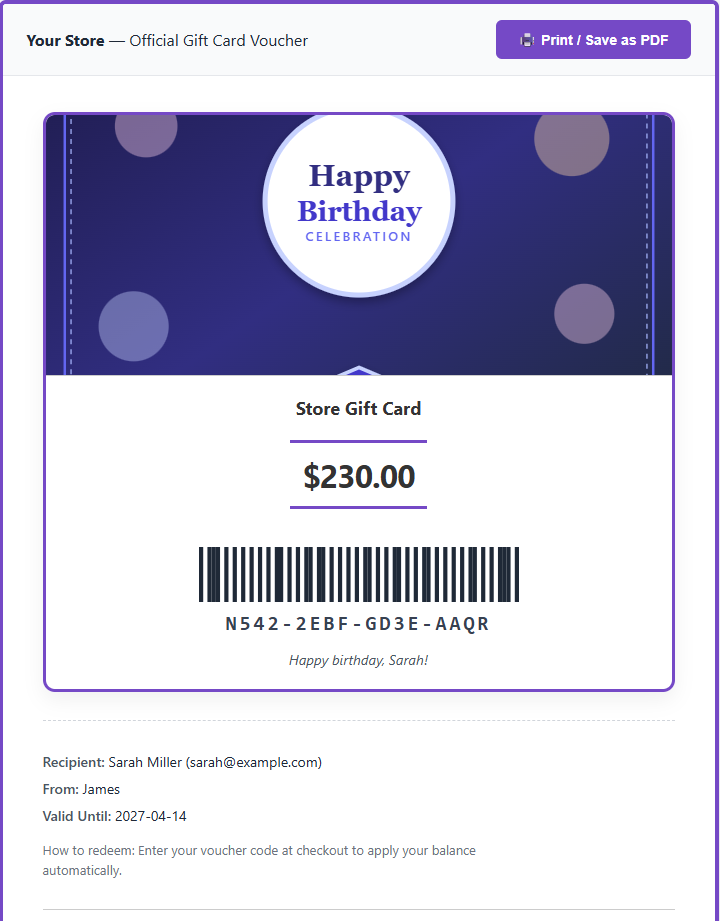
Choosing a Barcode or QR Code
Go to GiftRocket > Settings > General Settings > BarCode Settings. Under Barcode, QR, or PDF417 on PDF, choose:
| Option | What it does |
|---|---|
| Barcode (gift card number) | A standard barcode of the card code. Choose the Barcode format: CODE 128, CODE 39, EAN 13 or UPC-A. |
| QR code (redemption URL) | A QR code that opens your store and applies the card automatically. |
| PDF417 (2D barcode) | A 2D barcode of the card code. |
| None (text only) | Just the code as text. |
Turn on Show sample scannable code on product page to show an example code on the product preview (for illustration only).
Where QR Codes Take Customers
When a customer scans the QR code, the card is applied and they are sent to the page chosen in General Settings > Page for “apply gift card” links and QR codes: Cart, Checkout or Shop.
