

The GiftRocket dashboard is where you see and manage every gift card in your store. Open it from WordPress admin > GiftRocket.
The Sidebar
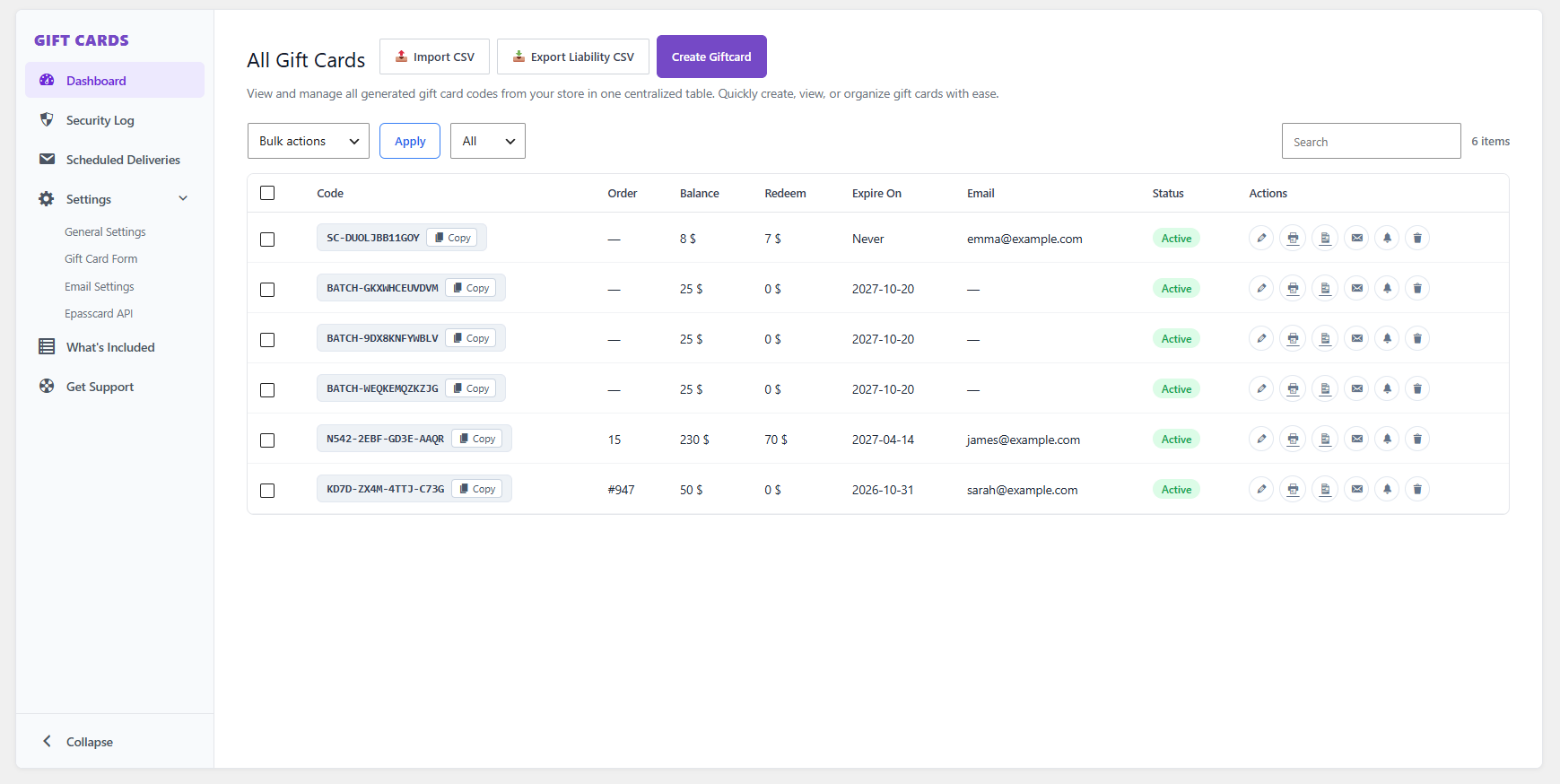
The left sidebar takes you to every part of GiftRocket:
- Dashboard – the list of all gift cards.
- Security Log – failed code checks, blocked attempts and other security events.
- Scheduled Deliveries – gift cards waiting to be emailed on a future date.
- Settings – with four tabs:
- General Settings – display options, photo uploads, custom amount limits, code format, barcodes and QR codes.
- Gift Card Form – the labels, buttons and messages on the gift card form.
- Email Settings – the gift card email’s subject, heading and message.
- Epasscard API – connect Apple Wallet and Google Wallet passes.
- What’s Included – an overview of the plugin’s features.
- Get Support – links to documentation and support.
You can click Collapse at the bottom to make the sidebar smaller.
The All Gift Cards Table
Each row is one gift card. The columns show:
| Column | What it shows |
|---|---|
| Code | The gift card code. Click Copy to copy it. |
| Order | The FluentCart order the card was bought in. |
| Balance | How much is left on the card. |
| Redeem | How much has been spent so far. |
| Expire On | The expiry date, if the card has one. |
| The recipient’s email address. | |
| Status | Active, Used or Expired. |
| Actions | Quick actions for the card (see below). |
Card Actions
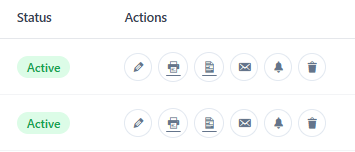
The icons in the Actions column let you:
- Edit the gift card and see its full balance history.
- Download / Print a PDF voucher with barcode and QR code.
- Preview the card.
- Resend the gift card email to the recipient.
- Send an expiry reminder email.
- Delete the gift card.
Search, Filter and Bulk Actions
- Use the Search box to find a card by code, name or email.
- Use the status filter to show All, Active, Used or Expired cards.
- Tick several cards, choose a Bulk action (Delete, Mark as Active, Mark as Used, Mark as Expired) and click Apply.
Buttons at the Top
- Create Giftcard – issue a gift card by hand, for example as a prize or a customer service credit.
- Import CSV – bring in gift cards from another system.
- Export Liability CSV – download all outstanding balances, useful for your accountant.
