GiftRocket can turn gift cards into Apple Wallet and Google Wallet passes, so recipients can keep their card on their phone. This uses the ePassCard service and is optional. It stays off until you connect an account.
Go to GiftRocket > Epasscard Settings (or GiftRocket > Settings > Epasscard API).
Choose a Connection Method
There are three ways to connect:
Option 1: Create Account (Sign Up) – New to ePassCard
- Click Create Account (Sign Up).
- Enter your Organization / Store Name and Owner Email Address.
- Click Create Account & Connect API.
Your ePassCard login details are sent to the email address you entered.
Option 2: Email & Password Login – Existing ePassCard User
- Click Email & Password Login.
- Enter your Epasscard Account Email and Epasscard Account Password.
- Click Authenticate & Generate API Key.
GiftRocket creates an API key for your store. Your password is not saved.
Option 3: Enter API Key – Manual Entry
- Click Enter API Key.
- Paste the key from your ePassCard dashboard (API Keys).
- Click Validate & Save API Key.
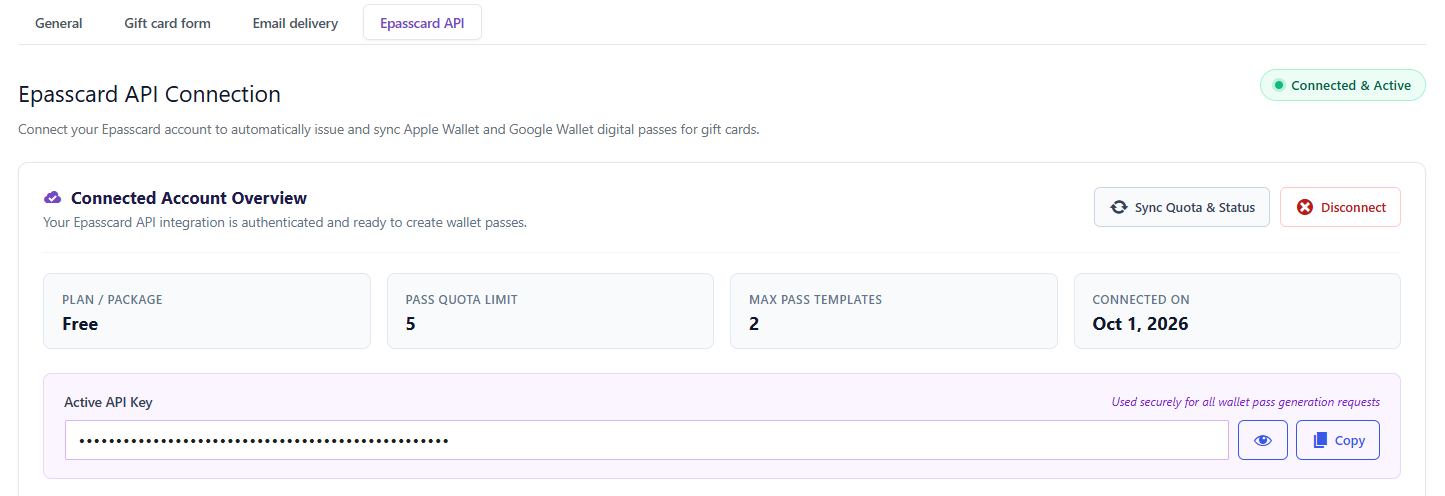
When You’re Connected
The page shows Connected & Active with your plan, pass limit and connection date. Click Disconnect to turn wallet passes off.