

Step 1: Install the Plugin
- Make sure the free GiftRocket plugin is installed and active (see 1.2).
- Go to Plugins → Add New → Upload Plugin.
- Choose the GiftRocket Pro zip file you downloaded after purchase and click Install Now.
- Click Activate.
Step 2: Activate Your License
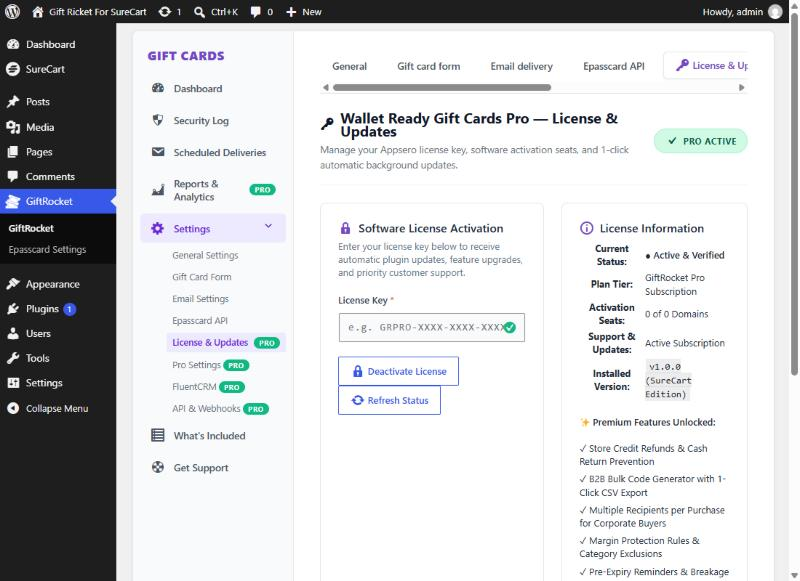
- Go to GiftRocket → Settings → License & Updates.
- Paste your key into License Key.
- Click Activate License. The page reloads and the badge at the top changes to PRO ACTIVE.
Managing Your License
- Refresh Status checks your license with the licensing server straight away.
- Deactivate License frees the activation so you can use the key on another site.
- GiftRocket checks the license once a day. If the licensing server can’t be reached, Pro keeps working for 7 days.
- Plugin updates appear on the Plugins screen like any other update.
Note: On a local development site (a domain ending in .local or .test, or localhost), Pro unlocks without a key so you can test it. Activate your key on the live site.